
 हिन्दी
 English

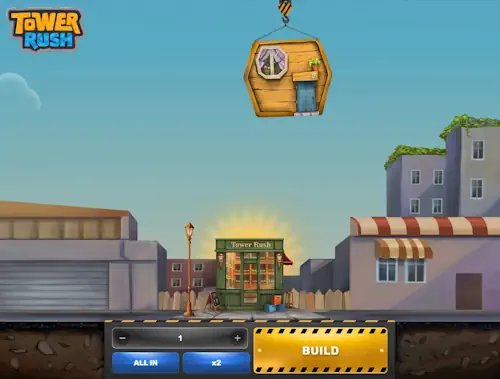
What to check before transferring money
First check the operator's availability for your account in India. Then open the cashier currency and method terms. Tower Rush's presence in the catalogue does not itself permit registration. Nor does it confirm access to every payment instrument, so site selection comes before sending money.
This is particularly important for Betify: its general terms prohibit registration from India. The author's payment below belongs to a separate account episode and does not make the service a new-registration option for an Indian reader. Compare other sites' terms in casinos with Tower Rush. Do not use someone else's details or another region to bypass a restriction.
Check the cashier minimum, game stake and bonus threshold separately: a form accepting deposits from 100 INR does not determine the amount needed for a promotion, while a higher welcome-offer threshold does not automatically raise the ordinary deposit minimum.
The selected payment profiles also have different maximums: UPI allows 100,000 INR per request, Visa 2,000 USD or EUR in the corresponding currency, and USDT 2,000 USDT. These are upper limits for specific routes, not a recommended budget or a universal limit for every cashier.
Check whose name appears on the payment instrument. Use your own bank account, card or wallet. Saved details belonging to a relative do not become your method because you hold the phone. An ownership mismatch concerns payment identification. Game settings cannot fix it.
No monetary deposit is needed to learn the controls.
If moving to real-money play, decide in advance what you are prepared to spend and do not raise it to meet a bonus threshold: transferring to the cashier creates an available gaming budget but does not improve the probability of a winning round.
How to create and confirm a request
Open Wallet or the operator's cashier and create a Deposit in the required currency. Do not start with details from a previous message or old tab: the current request links the method, amount and subsequent credit. At this point, an error can still be spotted before funds are sent.
- Sign in to your own account and open the deposit section.
- Choose a method available to you and check the displayed minimum.
- Enter the amount and read the terms of this specific transaction, including currency and fees.
- Create the request and compare payment details with its screen.
- Confirm the transfer in your own banking app or crypto wallet.
- Return to the transaction you created, wait for its status and reconcile the credit with the balance.
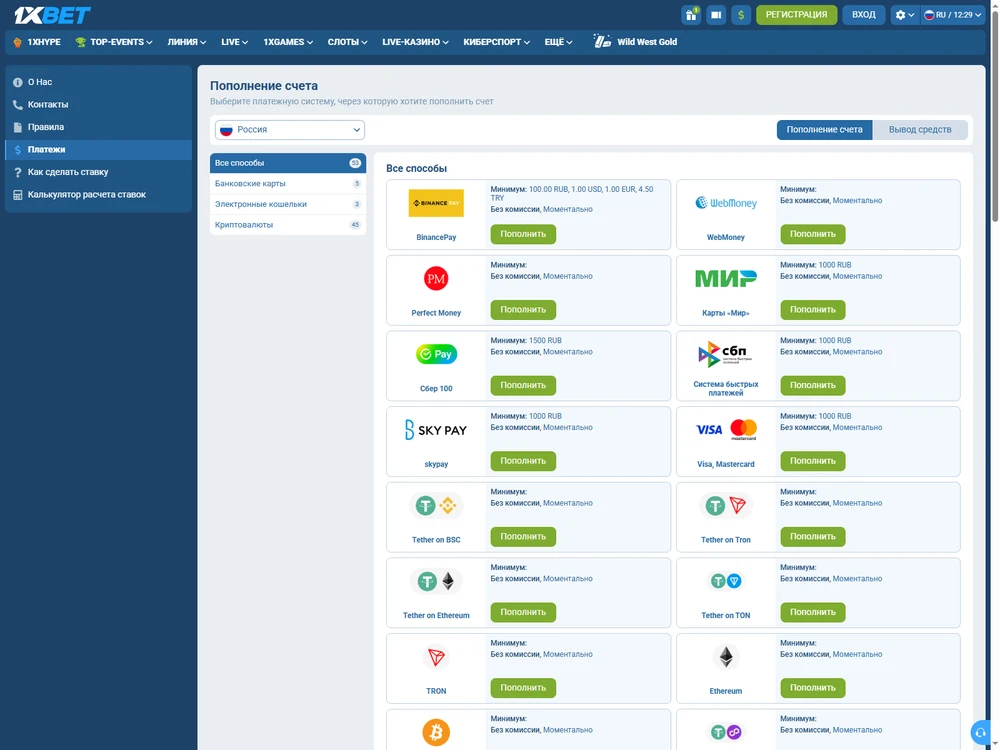
A bank's successful-transfer message confirms movement on the sender's side, while the cashier-history entry shows the operator's accounting: for a final check, compare the amount, currency and transaction rather than relying only on the bank-account debit.
UPI in an Indian banking app
When choosing UPI, confirm the created payment in the linked banking app. Check the amount and recipient before entering the PIN. If the link opened the app but the transaction is unfinished, return to its status: opening a payment screen alone does not mean a debit occurred.
Requests in the deposit routes examined remain valid for 15 minutes. This is the window for fulfilling the request. Crediting has a separate processing duration. If the window expires before sending, create a new request and use its details instead of the previous ones.
After confirmation, retain the available UTR identifier and bank-history entry: they help support distinguish your transfer from a similar amount sent at another time.
The PIN is not proof of payment and is not needed in support correspondence.
If the bank has already debited the funds, do not open a second deposit merely because the game balance has not changed. Return to the cashier first. A delayed game-screen update and a missing operator credit require different actions, while another transfer creates a separate transaction.
Visa debit and the debit currency
For Visa debit, check the amount and currency before bank confirmation. The author's MyStake transactions used 20 USD, and Betify used 20 EUR. These values cannot be replaced with rupees merely because the reader is in India: they describe different currency accounts and payment routes.
In the direct routes described, the bank fee and additional payment-service charge were 0. For your own transaction, check separately what amount the bank shows: no operator fee does not promise no conversion by the card issuer. The same number 20 in different currencies does not mean the same transfer cost.
Complete bank confirmation through your bank's normal process. If declined, read the reason and request status. Establish the first attempt's result before repeating it; otherwise, two authorisations may look like one stuck deposit.
USDT and the TRC20 network
To transfer USDT, select the same network displayed by the cashier: in the Stake route examined, this is TRC20. The token name is not enough. The address, amount and chain must belong to one request. This route does not use a memo/tag; an internal exchange Pay ID does not replace an external transfer to an address.
This route's minimum is 5 USDT; the deposit was 12.50 USDT, with 20 confirmations required for crediting. The final credit appeared after 242 seconds in the author's transaction. Confirmation count and measured duration describe different things: the first is a processing condition, the second the result of one transfer.
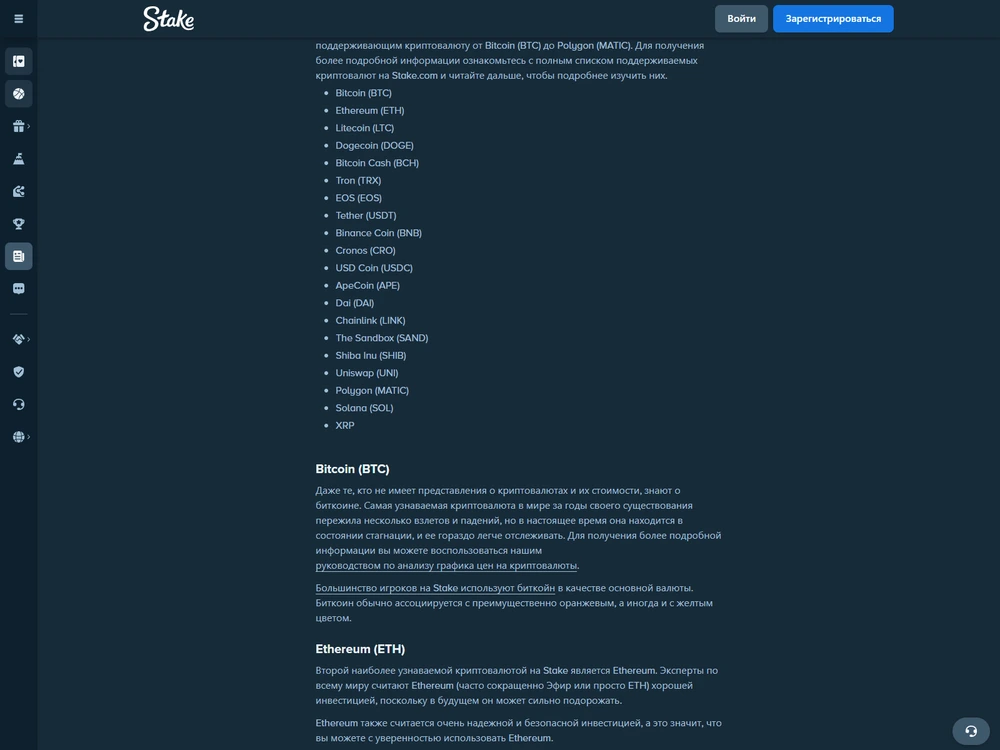
After sending, find the TXID and check the status on the selected network. The transaction may be awaiting confirmations. Sending again does not speed up the original. If the wrong network was used, provide details to the operator, but do not expect automatic recovery solely because you own the tokens.
Parimatch crypto deposits require a new address, so open a new request before the next transfer and compare the details again, even if the asset and amount are unchanged and the old address remains in wallet history.
How much was credited in specific transactions
In the author's ten deposit episodes, funds arrived in full with no operator deposit fee. I used my own payment instruments; the measured intervals below relate to those transactions. They help explain the processing sequence but are not promised times for the next payment.
Welcome offers were disabled in the real-money episodes, and the initial bonus balance was 0. Deposits were credited in the sending currency, without additionally crediting a displayed INR equivalent. Crorebet already held 500 INR before the transfer, so the incoming 500 INR must be distinguished from the total balance of 1,000 INR immediately after the deposit; the other starting real-money balances were zero.
| Operator | Route | Minimum | Deposited | Time to credit, s |
|---|---|---|---|---|
| 1Win | UPI | 400 INR | 400 INR | 109 |
| Stake | USDT TRC20 | 5 USDT | 12.50 USDT | 242 |
| MyStake | Visa debit | 20 USD | 20 USD | 284 |
| 1XBET | UPI | 250 INR | 250 INR | 102 |
| 4RABET | UPI | 350 INR | 350 INR | 228 |
| Melbet | UPI | 300 INR | 300 INR | 172 |
| Parimatch | UPI | 450 INR | 450 INR | 158 |
| Crorebet | UPI | 100 INR | 500 INR | 277 |
| Betify | Visa debit | 20 EUR | 20 EUR | 277 |
| Betclic | UPI | 600 INR | 600 INR | 88 |
At Crorebet, the selected UPI route's minimum is 100 INR, although 500 INR was deposited. Do not treat the amount actually sent as the entry threshold. Other listings at this operator have their own minimums; before paying, use the selected method's form rather than an adjacent promotion or another wallet.
The Betify row describes an individual Visa debit transaction while retaining the India registration restriction: a successful transfer by one account does not override the general terms' territorial clause or make the table a list of sites available to you.
The table's intervals are not a payment-technology speed ranking. The operators differ, as do amounts and routes. The comparison shows the selected method's minimum, amount sent and appearance of the credit in each case, but does not isolate the effect of UPI, cards or blockchain.
10 casinos: terms in detail
Brief facts from reviews of specific profiles. Game availability and conditions depend on the operator and account.

UPI · INR
- The Galaxsys original in the lobby.
- Android and web access on iPhone.
- Selected welcome offer: game contribution 0%.

USDT
- The Galaxsys original in the catalogue.
- Android: PWA without a separate APK.
- Selected welcome offer: game contribution 0%.

Visa · USD
- The original in the USD profile reviewed.
- Android app and browser on iPhone.
- Selected welcome offer: game contribution 0%.

UPI · INR
- One operator account for the game.
- UPI has its own limits.
- Cashout and external withdrawal are different actions.

UPI · INR
- The original is available on mobile.
- A fee was deducted in the withdrawal described.
- The welcome offer does not count stakes on this game.

UPI · INR
- Separate real-money and FUN modes.
- Android app and browser on iPhone.
- The welcome offer does not count stakes on this game.

INR
- The original and FUN mode are available.
- Android: APK; iPhone: web access.
- Selected welcome offer: game contribution 0%.

UPI · INR
- UPI in the app: from 100 INR.
- Minimum withdrawal for the selected route: 500 INR.
- The Aviator welcome offer does not count Tower Rush.

Restriction for India
- The general terms prohibit registration from India.
- Welcome offer: Shaolin Panda spins.
- The profile rating does not override restrictions.

UPI · INR
- The Galaxsys original in the operator account.
- UPI withdrawal includes a fee.
- Selected welcome offer: game contribution 0%.
Money was debited but the balance did not change
Check the existing request, then the active wallet, and only then the game balance. Start with cashier history: a bank debit and no update on the Tower Rush screen do not yet establish the cause. Do not create a new deposit before tracing the one already sent.
| State | What to check | Next action |
|---|---|---|
| Request created | Current request validity (15 minutes in the routes described), amount, currency and details | Correct the selection before sending or create a new request after expiry |
| Funds sent | Bank status and UTR, or TXID and network | Find the original request; do not make a second transfer to fix it |
| Credit not visible | Active wallet and its currency | Reconcile the credit with the selected real-money balance |
| Decline or document request | Reason and message in the profile | Provide the necessary information through the operator's designated channel |
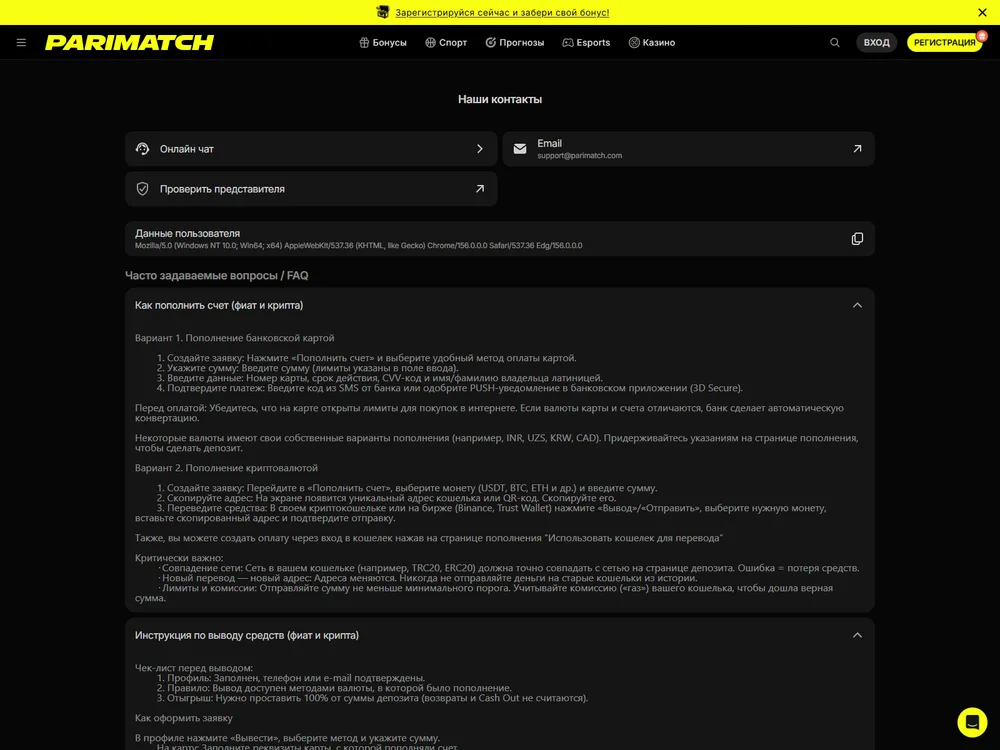
Check the selected wallet
Parimatch Multiwallet wallets are independent, with no direct USD-to-BTC transfer between them: a credit in one currency need not increase an adjacent balance, and switching the display does not confirm a lost deposit.
Open the currency specified in the payment request and check its history specifically. If the cashier shows a completed credit while the game shows the old amount, the issue concerns the display or linked game wallet. No new bet is needed to check this: it would only add another balance change.
FUN belongs to demo mode. It is not a monetary deposit. Bonus funds may also be accounted for separately from cash. With an active Free Bet, a number on the game screen should not automatically be interpreted as the remainder of your deposited money; these distinctions are covered in the real-money gaming route.
Separate request validity from transfer processing
Allow the time applicable to your method, not a universal “15 minutes”. Parimatch's payment terms allow up to 15 minutes for a crypto deposit and up to 30 minutes for P2P; cards and e-wallets are described as instant. These are one operator's terms, not those of every row in the comparison table.
Parimatch also specifies an additional wait of 5–10 minutes for a delay before contacting support. Apply it to the relevant route and status. If funds went to incorrect details, ordinary waiting does not fix the address: report the exact error rather than presumed slow game performance.
What to give support and when a refund is needed
Give the operator the request ID, amount, currency, method and proof of sending. For UPI, the UTR is useful; for cryptocurrency, provide the TXID and network. Describe the discrepancy literally: the bank debited funds, the cashier shows a particular status, and the active wallet has not received the expected credit.
Support needs the identifier of the event containing the discrepancy: for a betting debit, open round history; for money not reaching the wallet, open the deposit transaction instead of saying generally that “the game took the money”.
Complete identification requests through the operator profile. Documents were not requested for the author's first deposits across ten accounts, but this does not remove the right to later verification. Document preparation is covered separately under verification; do not send new transfers to bypass a request.
A deposit refund differs from an ordinary withdrawal of the remaining balance. MyStake's policy does not permit a refund after funds have been used in play. Requests are provided for within 14 days, or 30 days for unauthorised access. These periods concern the refund procedure, not a guarantee of winnings payment.
The same MyStake procedure may require a certified identity document within 30 days; possible administrative deductions of 20% and processing costs are specified. Do not transfer these terms to other sites. Before playing, determine what transaction you actually want: refunding a transfer or withdrawing available funds.
The next step after crediting
Check that the credit matches the amount and currency sent, then open the required game mode. To choose a route, use payment methods; to receive the remaining balance in your own account, use the withdrawal procedure. A successful deposit completes a payment transaction but does not guarantee a game result.
Frequently asked questions about deposits
What minimum deposit is needed for Tower Rush?
The game has no universal minimum. The operator, currency and method determine it: for example, the selected Crorebet UPI route accepts from 100 INR, while Stake USDT TRC20 accepts from 5 USDT. Check the cashier form before sending.
Why does FUN not appear in the cashier?
FUN is a virtual demo unit, not a transfer to a real-money account. It does not replace INR, EUR, USD or USDT. Check the game mode first, then the wallet currency: their balances cannot be compared as one balance.
What should I do after a debit without a credit?
Find the original request and check the bank status or network confirmations. Compare the currency with the active wallet. Give support the amount and UTR or TXID; do not repeat the transfer to fix the first transaction.
Can an expired request be paid?
Create a new request and use its current details. If money has already been sent using the old details, establish that transfer's status with the operator first. For a Parimatch crypto deposit, obtain a new address rather than copying an old one from history.
Why is the bonus threshold higher than the cashier minimum?
These are different conditions: the cashier defines the permitted deposit, while the promotion defines offer eligibility. Do not increase the amount automatically. Read the bonus terms and decide whether you want it before confirming the deposit.

About the author
Author: Karthikeyan Sengupta
Role: analyst of iGaming, Betting Sport and Gambling products
Experience: 7 years analysing online casinos, gambling and payment systems
Published: 4 November 2026
Devices: Realme 14 Pro+, Android 15, realme UI 6.0 / iPhone 15 Pro, iOS 26.5
Methodology: Assessment methodology