
 हिन्दी
 English

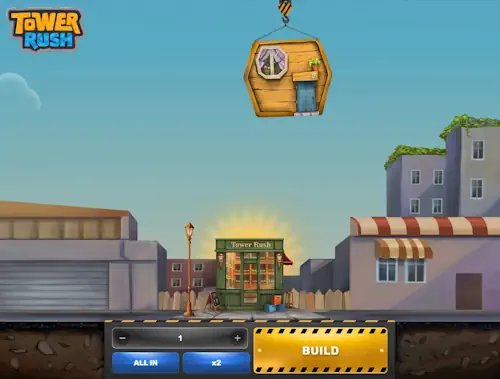
Choosing a mode and preparing the stake
Start with the original Tower Rush and check the developer: Galaxsys. Then read the balance unit. For readers in India, distinguishing virtual FUN from an INR real-money wallet is essential. The demo lets you understand the sequence of actions without a real-money deposit.
A name containing the number 2 identifies a separate sequel, so return to the game selection if you see it while looking for the original: the sequel's АВТО, 2X Chance and Buy Bonus buttons are not part of the original's rules, and tower-and-crane cover art is no substitute for the exact name.
In real-money mode, the game opens within an operator account. This editorial site has no separate wallet. Casino deposits, account currency selection and access to real-money play belong to the operator, while the stake and final round result belong to the game client. The official demo page lets you explore the interface.
| Mode | Permitted stake | Maximum total credit per round |
|---|---|---|
| Provider demo | 1–100 FUN | 10,000 FUN |
| INR real-money configuration reviewed | 10–10,000 INR | 1,000,000 INR |
In the real-money configuration, the stake increment is 0.10 INR. These parameters do not set the casino's minimum deposit: having enough for one stake and meeting the cashier's condition are different matters. Nor can INR replace FUN in the demo limit, or every real-money launch be treated as identical.
To understand how to play Tower Rush, open Rules before your first action. You need the rules of this particular client, not a conventional slot's symbol table. The original has one vertical stack of floors and one stake panel; there are no reels, paylines or coins per line. The round price therefore is not calculated from the number of lines and coin denomination.
Check the Bet field and available balance after selecting the mode. Find the amount controls, including x2 and All In. These prepare the stake rather than protect the tower. Close any keyboard covering the controls before confirming. The amount should remain clearly visible beside the game buttons.
The full cycle from Build to final settlement
The server defines the round boundaries: it starts with an accepted stake and ends with final Cashout, collapse, cancellation or settlement provided for in the rules. Animation merely displays events; neither redrawing the screen nor opening history creates an additional wager.
How to submit the first stake
The initial amount is deducted once after the first Build is accepted. Before that, it may be rejected, for example because the balance is insufficient or the amount invalid. Rejection without an accepted stake is not a loss; a delayed picture after acceptance requires checking the existing round.
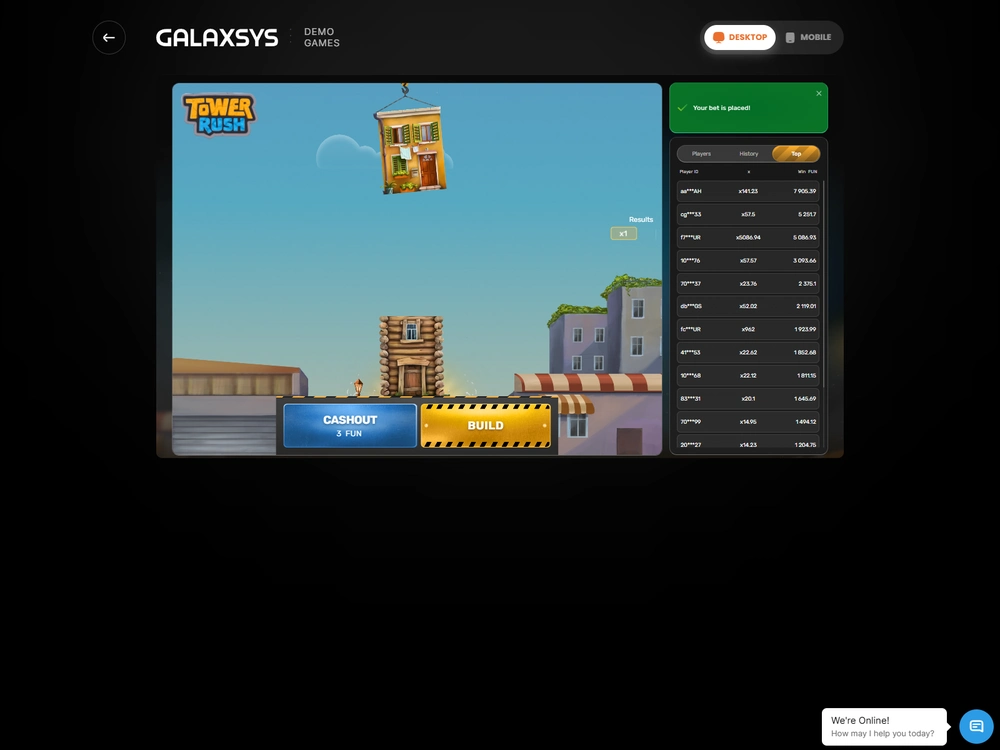
- Open the original game listing and select Demo or real-money Play.
- Check the wallet unit and amount in the Bet field.
- Make sure the balance covers the selected stake.
- Press Build and wait for confirmation of acceptance and the floor result.
- After success, choose Cashout or another Build within the same round.
- After final settlement, check the credit and remaining balance in history.
For personal expense records, count initial deductions rather than Build presses: further construction adds actions within an already-paid cycle, so five floors in one tower do not mean five deductions of the same amount.
In one demo round, I submitted a stake of 10 FUN and received acceptance confirmation after 0.240 seconds. This was the time between request and response, not the duration of the entire animation or a promise of speed on every connection. Pressing again before the response did not become a second accepted stake.
What changes after a successful floor
The first successful floor multiplies the initial stake by its coefficient. The accumulated amount then becomes the base. Successive coefficients are therefore multiplied together. Adding them or starting from the initial stake each time would produce a different, incorrect result.
For example, with a stake of 10 FUN, the sequence 1.2 × 1.25 × 1.6 gives an overall multiplier of 2.4 and a total credit of 24 FUN at cashout. The deducted 10 FUN is not added on top again. The net result is 14 FUN: the difference between the credit and the initial expense.
After success, you choose whether to continue. The server determines the next outcome. Build submits a game action and does not let you select a desired multiplier. Neither the position of the drawn floor nor the city animation provides a formula for a guaranteed win. Muting the sound does not change the calculation either.
When to press Cashout and what it credits
Cashout is available after the first successful floor and before the round ends: an accepted cashout credits the accumulated amount to the game balance, resets the game and closes the previous tower, so the next paid start belongs to a new cycle.
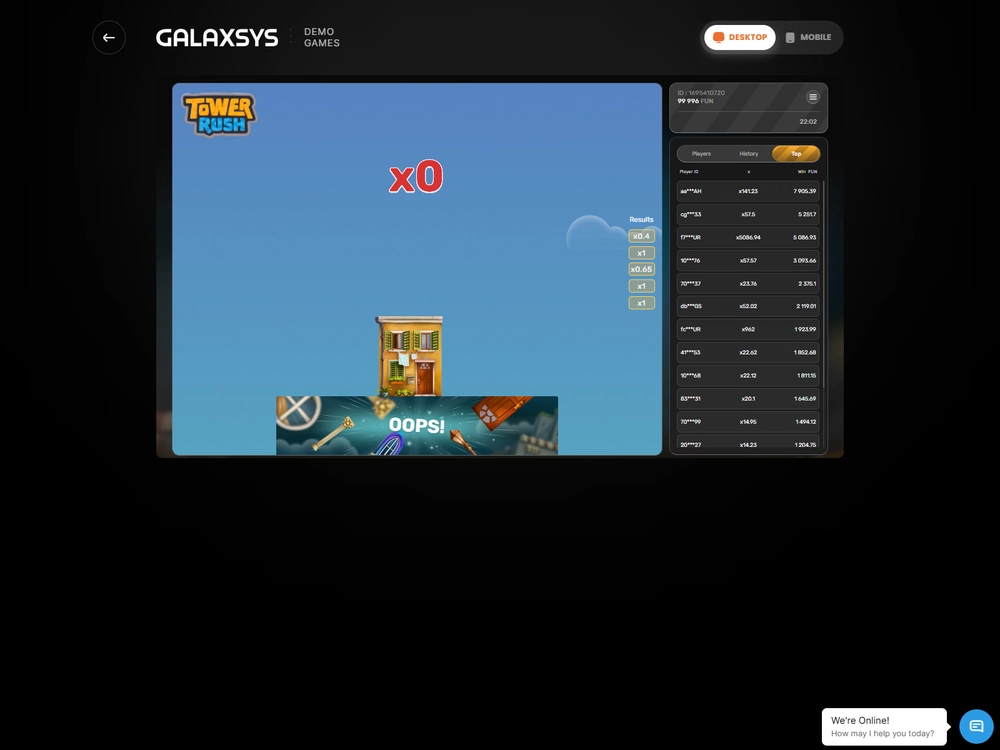
I ended a round with a stake of 10 FUN after a 1.5× multiplier and received 15 FUN. The profit from this action was 5 FUN, not 15. Distinguishing total credit from net result is useful whenever the interface shows a win in large numbers: part of the amount received covers the initial stake.
In-game Cashout does not send money to a bank. In real-money mode, it settles the round within the operator's wallet; an external withdrawal then goes through a separate cashier with its own checks and conditions. In the demo, the credit remains in FUN and does not become an amount available for bank transfer.
To account for the result, compare the round state, accepted stake and final credit: an available button, changed picture or delayed animation does not itself prove that cashout was processed and the funds reached the balance.
How collapse and refunds are accounted for
A collapse ends the round with the loss of the unprotected amount. Without Frozen Floor, the credit may be zero. The net result is then minus the initial stake. Expenses reflect the actual deduction: lost accumulation and the multiplier do not become an additional monetary debit.
Cancellation due to a malfunction works differently. The corresponding stakes and payouts are voided, and the initial stake is returned. In my separate demo case, a deduction of 7.50 FUN was offset by a refund of 7.50 FUN, giving a net result of zero. Such a refund does not increase the number of profitable rounds.
| Scenario | Initial stake | Credit or refund | Net result |
|---|---|---|---|
| Manual cashout after 1.5× | 10 | 15 | +5 |
| Triple with an overall multiplier of 2.4× | 10 | 24 | +14 |
| Frozen at 2×, followed by cashout at 5× | 10 | 50 | +40 |
| Collapse without protection | 5 | 0 | −5 |
| Cancellation with a stake refund | 7.50 | Refund 7.50 | 0 |
Checking history and the next start
To check the remaining balance, use the balance before the stake, the single deduction and the final credit. If the pre-round balance was 100 FUN, an accepted stake was 10 FUN and 15 FUN was received, the settled balance should be 105 FUN. Do not add the payout to the initial 100 while forgetting the expense. For a refund, check the compensating transaction separately. It restores the deduction rather than creating a new profit.
The Players and Top tabs show other sets of events. They do not replace your own history. Even similar amounts and times do not link another person's entry to your round. Check the accepted stake and its corresponding result. The public feed is not a statement for your wallet.
Keep a demo reset separate from the game result too. I ended a demo session with 1,067 FUN and opened a new one with 1,000 FUN: the 67 FUN difference belongs to the start of another session, not a lost round. Check the starting balance again in each new session. A virtual balance does not transfer as a deposit into an operator's real-money account.
A new round allows a new stake selection but does not recalculate an already accepted tower or its retained feature: if protection arose from an initial 10 FUN, changing the stake field later does not turn the previous result into a payout based on another denomination.
How bonus floors change the accumulated amount
Frozen Floor, Temple Floor and Triple Build change the calculation within an already-paid round. They appear randomly, and the floor type is revealed after successful placement. They must not be treated as a casino deposit offer, a bonus purchase or three new deductions for three extra actions.
Frozen Floor retains part of the result
Frozen Floor locks in the accumulated amount, which remains protected against a later collapse. This protection is possible once per round. No new bonus floors appear afterwards, and subsequent successful floors have a coefficient of at least 1.5×; collapse is still possible.
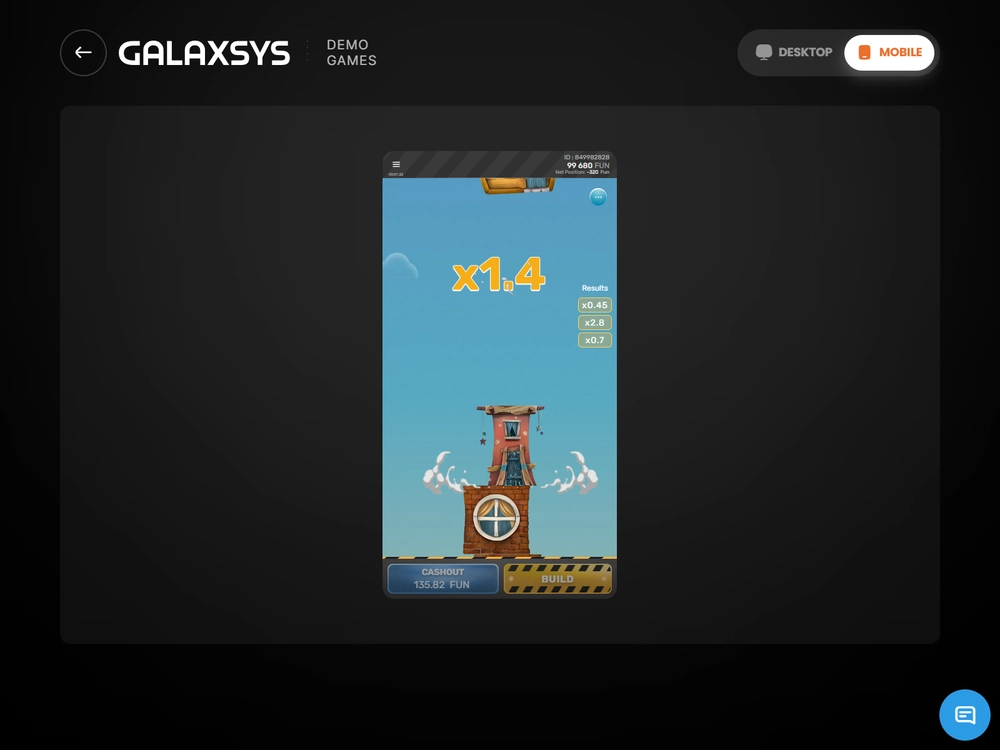
In a round with a stake of 10 FUN, I locked in 20 FUN, then continued and cashed out for a total credit of 50 FUN. The protected 20 FUN is already included in the final 50. A payout of 70 FUN would count one part of the result twice. Had the tower collapsed instead of a successful cashout, the protected 20 FUN would have remained.
With a current amount of 50 FUN and protection of 20 FUN, the extra 30 FUN remains at risk: retaining the lower amount does not make the next floor certain to succeed or promise that continuing will let you collect more.
Temple Floor multiplies the current amount
Temple Floor triggers one automatic wheel spin. The resulting coefficient applies to the current accumulation, not afresh to the initial stake. With 15 FUN accumulated and a 3× sector, the result is 45 FUN. If Frozen Floor appears, the corresponding current amount is locked in.
The wheel has ten sectors: two each of 1.5×, 2×, 3× and 5×, one 7× and one Frozen Floor. Repeated labels alone do not let you calculate the probability of a result. The number of drawn sectors and mathematical probabilities are separate characteristics.
You can continue the round after the spin. Temple Floor can appear again. Activating Frozen stops new bonuses from appearing. To understand the calculation, track the amount before and after the wheel; details are collected on the bonus floors page.
Triple Build adds floors without new monetary deductions
Triple Build automatically adds three extra floors, each with a coefficient of at least 1×. The feature can appear several times in a round. This continues the tower rather than providing a pack of slot spins: there are no reels, free spins or new charges for each added floor.
In the Triple calculation described, the initial 10 FUN stake returned 24 FUN after multiplying 1.2 × 1.25 × 1.6. There were no three separate debits. When checking the history, compare the total payout with the full sequence within one cycle rather than dividing it into three imaginary stakes.
The monetary limit and bonus wallet
The win limit caps the total credit in the selected mode's currency. In the demo, a result above 10,000 FUN gives no entitlement to an extra payout. For example, a calculated amount of 11,250 FUN is capped at 10,000 FUN. On reaching Maximum Win, the interface warns of the limit.
Continuing after the warning does not raise this limit but can cause the unprotected accumulation to be lost. A cap does not mean automatic Cashout. This matters particularly in a manual profile, where the warning explains a limit rather than replacing your decision to stop building.
With a monetary cap of 1,000,000 INR, the ratio of the limit to a stake of 100 INR is 10,000×, and to a stake of 10,000 INR it is 100×: there is no universal 100× limit for every stake, and the arithmetic ratio between two amounts does not promise that outcome in every round.
Free Bet and Free Amount game entitlements also differ. The former specifies a number of free bets of a set denomination: after three uses of a pack of 10 bets at 100 FUN, seven remain. The latter specifies a bonus balance, for example 1,000 FUN, from which stakes are spent.
If the Free Amount balance is below the selected stake, the action is rejected for insufficient bonus funds before acceptance. An active Free Bet or Free Amount must be disabled before switching to real funds. The operator's specific offer separately determines issuance and usage conditions; a game feature does not prove eligibility for every welcome offer.
10 casinos: terms in detail
Brief facts from reviews of specific profiles. Game availability and conditions depend on the operator and account.

UPI · INR
- The Galaxsys original in the lobby.
- Android and web access on iPhone.
- Selected welcome offer: game contribution 0%.

USDT
- The Galaxsys original in the catalogue.
- Android: PWA without a separate APK.
- Selected welcome offer: game contribution 0%.

Visa · USD
- The original in the USD profile reviewed.
- Android app and browser on iPhone.
- Selected welcome offer: game contribution 0%.

UPI · INR
- One operator account for the game.
- UPI has its own limits.
- Cashout and external withdrawal are different actions.

UPI · INR
- The original is available on mobile.
- A fee was deducted in the withdrawal described.
- The welcome offer does not count stakes on this game.

UPI · INR
- Separate real-money and FUN modes.
- Android app and browser on iPhone.
- The welcome offer does not count stakes on this game.

INR
- The original and FUN mode are available.
- Android: APK; iPhone: web access.
- Selected welcome offer: game contribution 0%.

UPI · INR
- UPI in the app: from 100 INR.
- Minimum withdrawal for the selected route: 500 INR.
- The Aviator welcome offer does not count Tower Rush.

Restriction for India
- The general terms prohibit registration from India.
- Welcome offer: Shaolin Panda spins.
- The profile rating does not override restrictions.

UPI · INR
- The Galaxsys original in the operator account.
- UPI withdrawal includes a fee.
- Selected welcome offer: game contribution 0%.
Round recovery after a connection loss
After losing the connection, first restore the state of the round already accepted: missing animation does not declare it lost, a new stake does not replace checking, and the server result, interface update and bank transfer are different processes.
I returned to a demo round after 45 seconds in the background on a Realme 14 Pro+ running Android 15. History retained one deduction of 10 FUN and one credit of 15 FUN. Returning to the screen did not double the result. This specific case shows recovery working, not a guarantee of identical behaviour under every malfunction.
| State | What it means | What to do |
|---|---|---|
| Rejected before acceptance | The new stake was not accepted | Check the amount, mode and available balance |
| Accepted, awaiting the final response | The round still needs settlement | Restore the connection and open its history |
| Finally settled | The final result has been recorded | Compare the stake, credit and balance |
| Voided | The initial stake is refunded | Separate the refund from a game win |
Under the rules, if the connection is not restored within an hour after stake acceptance, the round ends after an hour of inactivity and the recorded win is automatically credited. This is a special settlement rule, not a recommended cashout method. A malfunction follows a different procedure involving cancellation and refund.
When reporting an error, retain details of the same round and its state. Receiving the response again should leave a single credit rather than add another. If the issue concerns launching, the account or the cashier, use the relevant route in the errors and recovery section.
What to consider after learning the rules
Before starting, decide how much you are prepared to spend during the session and track it through separate accepted stakes. A remaining balance after a successful cashout does not oblige you to start another tower. End the session if your personal spending limit is reached; increasing the denomination changes the next risk amount rather than correcting a past result. Track time separately: the hour in the connection-loss rule concerns server settlement, not a recommended playing duration.
Understanding settlement helps you track expenses, not predict the next floor. Past history shows completed events; a short successful series does not change the selected configuration's theoretical return. Differences between RTP and observed statistics are discussed separately in the game mathematics section.
Learn the acceptance, cashout and balance-checking sequence before assessing the speed of your actions. Tower Rush involves one initial stake, a manual decision to continue and a precise distinction between the protected amount and final credit. For expense planning, see risk management, keeping session limits separate from round rules.
Questions about Tower Rush rules
Is every Build charged separately?
No. The first accepted Build deducts the initial stake, and further construction continues within the same round. The next separate deduction belongs to a new accepted cycle after the previous one ends.
Can I collect the amount after the first floor?
Yes, Cashout is available after the first successful floor. An accepted cashout credits the accumulated amount to the game balance; a bank withdrawal is handled separately by the operator.
Does Frozen at 20 FUN followed by cashout at 50 FUN pay 70 FUN?
No. The credit is 50 FUN, which already includes the protected 20 FUN. With a stake of 10 FUN, the net result of that cashout is 40 FUN.
What should I do if the screen freezes after a stake?
Restore the connection and check the accepted round's history. A delayed picture does not determine a loss; first establish the server state and final settlement.
How can I play Tower Rush without a real-money deposit?
Open the official demonstration mode using FUN. These are virtual units: they let you learn the controls but cannot be withdrawn as money or transferred as a deposit to an operator account.

About the author
Author: Karthikeyan Sengupta
Role: iGaming, Betting Sport and Gambling product analyst
Experience: 7 years
Published: 4 November 2026
Devices: Realme 14 Pro+, Android 15, realme UI 6.0 / iPhone 15 Pro, iOS 26.5
Methodology: Rating methodology